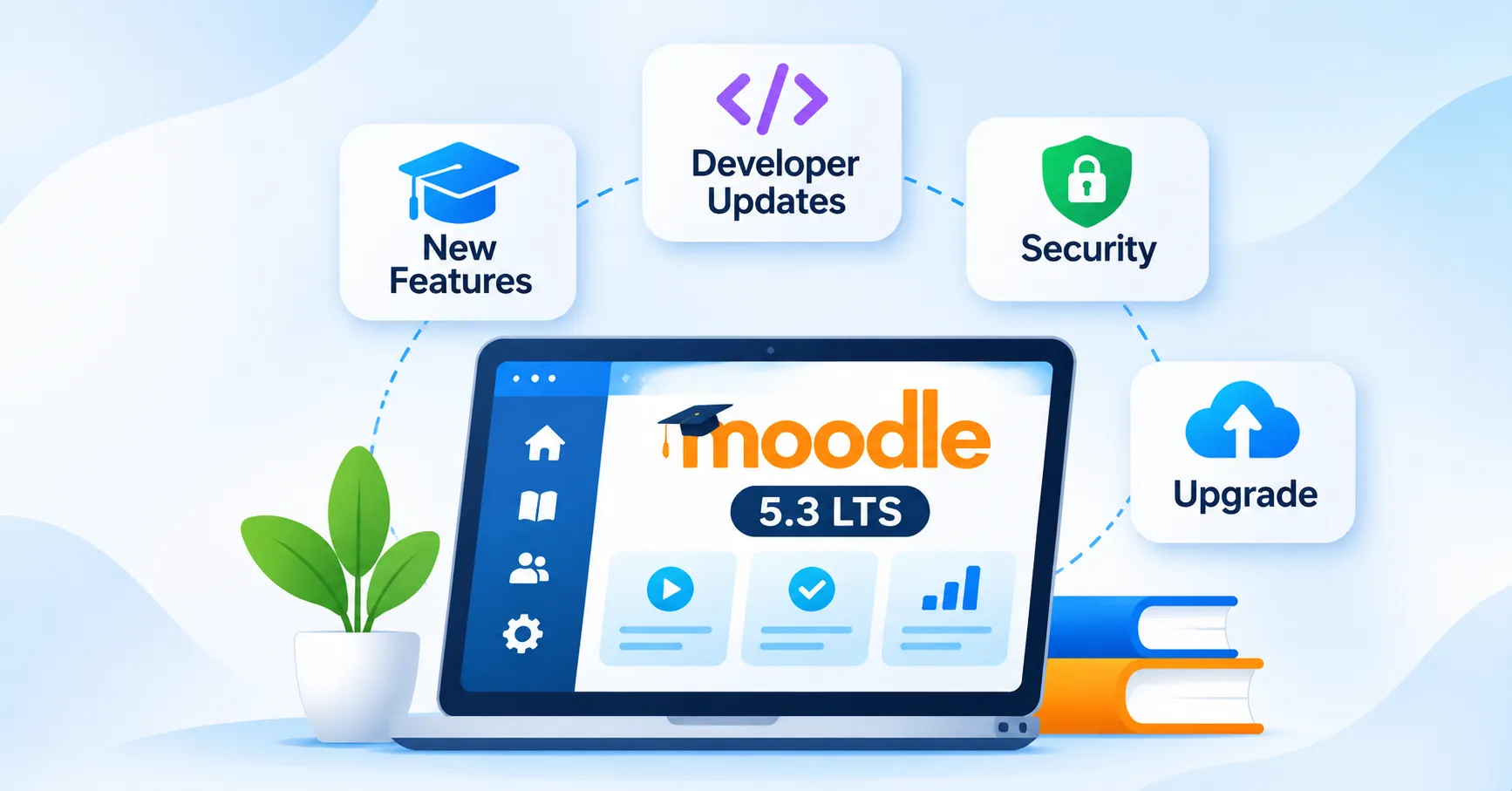
What’s New in Moodle LMS 5.3 LTS? Features, Developer Updates, and Upgrade Guide
Moodle LMS 5.3 LTS arrived on October 5, 2026, with changes affecting much more than course appearance. Teachers now have better ways to connect activities with learning outcomes and manage complex marking.
Learners get clearer course navigation, refreshed layouts, and an experimental dark mode. For administrators, improvements cover reporting, background tasks, security checks, and mobile settings.
There is also plenty for development teams to examine. New APIs, authentication capabilities, database requirements, and theme changes can affect existing Moodle installations.
For institutions planning to upgrade or customise their learning platforms, professional Moodle development services can help address plugin compatibility, system integrations and technical requirements before deployment.
That makes upgrading a technical decision as well as an educational one. An institution using custom plugins needs a different preparation plan from a training provider running standard Moodle features.
This guide covers the Moodle 5.3 new features, developer changes, system requirements, and upgrade considerations that matter in 2026.
Moodle 5.3 LTS: Release Date and Support Lifecycle
Moodle 5.3 is a Long-Term Support release. An LTS version receives security maintenance for longer than a standard Moodle release. For educational institutions and corporate training teams, this offers additional flexibility when planning platform upgrades.
| Release Milestone | Moodle 5.3 LTS |
| Official release | October 5, 2026 |
| General support ends | October 4, 2027 |
| Security support ends | October 1, 2029 |
| Direct upgrade supported from | Moodle 4.4 or later |
| Minimum PHP version | PHP 8.3.0 |
The longer support period can help organizations avoid unnecessary platform changes during important teaching or training periods. A university may schedule its upgrade between semesters. A business might wait until mandatory compliance training finishes.
However, the LTS designation covers Moodle’s published maintenance lifecycle. It does not guarantee that third-party themes, plugins, hosting services, or custom integrations will remain compatible. Those components need separate maintenance plans.
What’s New in Moodle 5.3? Main Feature Overview
The release brings updates across teaching, learning, administration, and development. Some improvements are visible immediately. Others mainly affect the technical teams managing the platform.
| Feature Area | Important Changes |
| Learning outcomes | Course-level overview, optional scales, backup and import/export |
| Assignment marking | Individual feedback, optional markers, sample marking |
| Quizzes | Due dates, reports, question-bank and exam settings |
| User experience | Experimental dark mode, refreshed layouts, sequential navigation |
| AI | Anthropic Claude and usage reporting |
| Content editing | TinyMCE accordions, list styles, Premium Markdown |
| Reporting | More flexible Report Builder and completion exports |
| Administration | Background tasks, permission visibility, security checks |
| Mobile learning | Navigation, branding, and authentication controls |
| Development | New APIs, OAuth 2, React, backend extensions |
| Platform requirements | Updated databases, Classic theme removal |
The important question is how these changes affect your current learning environment. Let’s examine the features by their practical use.
Moodle 5.3 Learning Outcomes: Connect Activities With Learning Goals
Learning outcomes help educators define what learners should know or demonstrate after completing a course.
Previously, managing these connections could require additional work outside Moodle.
Version 5.3 introduces a clearer course-level approach.
A Dedicated Learning Outcomes Page
Teachers can now access a Learning outcomes page through the course’s More menu. It displays the outcomes associated with the course and their linked activities. This gives educators a better view of how course content supports learning goals.
Consider a nursing program. An outcome covering patient communication could connect to a discussion, practical exercise, and final assessment. Teachers can review these links together instead of relying entirely on external planning documents.
Outcomes Without Mandatory Grading Scales
Not every learning objective requires a numerical score. Moodle 5.3 allows educators to create learning outcomes without assigning a grading scale.
This gives teachers more freedom when tracking development that does not require formal grading. A workplace training course, for example, may focus on communication or teamwork skills. Those outcomes can still guide the course without forcing every activity into a numerical assessment.
Better Backup, Restore, and Course Reuse
Institutions frequently reuse courses across academic sessions. Moodle 5.3 improves backup, restore, import, and export support for learning outcomes.
Course teams can preserve more outcome-related information when transferring or reusing supported content. For institutions managing standardized programs, this makes course planning more consistent.
Moodle 5.3 Assessment and Marking Improvements
Assessments become harder to manage when several educators contribute to the same grade. This is common in universities that use first markers, second markers, and moderators.
Moodle 5.3 extends the multiple-marker workflows introduced in Moodle 5.2.
Individual Feedback From Each Marker
Markers can now provide separate feedback alongside the overall assignment feedback. Learners can review the individual comments and their final assessment information.
This creates a clearer feedback record when more than one educator evaluates a submission. For institutions using moderation, the separation can make the marking process easier to follow.
Required and Optional Markers
Assessment teams can distinguish between required markers and optional reviewers. For example, two teachers might mark every submission while a third reviews selected work.
Administrators can configure appropriate marker limits and defaults. This supports different assessment policies without requiring identical workflows across every course.
Sample Marking and Moderation
Basic sample marking adds another option for multiple-marker assignments. Institutions can review selected submissions when their moderation process requires additional checks.
This may reduce unnecessary work compared with applying the same review process to every submission. However, institutions should configure the feature according to their assessment policies.
Other Assignment Changes
The release also introduces two useful refinements. These changes can help large assessment teams manage records and avoid incomplete feedback submissions.
- Assignment grading tables support selected custom user profile fields.
- Pending feedback-file uploads prevent premature submission while files are still uploading.
Moodle 5.3 Quiz Improvements: Due Dates, Reports, and Question Banks
Quizzes receive several changes designed around common teaching tasks. The updates make deadlines more flexible and simplify parts of question-bank management.
Quiz Due Dates Are Separate From Closing Dates
Teachers can now set a quiz due date independently of its opening and closing times. This separates the expected submission deadline from the final availability window.
For example, a quiz might be due on Friday but remain open until Sunday.
Moodle can identify late attempts while still allowing access when the closing settings permit it. This offers more flexibility than treating every deadline as an automatic closure.
Better Quiz Reports
Grades and Responses reports gain additional user and group filters. Moodle also improves submission confirmation and gives administrators more control over quiz-statistics recalculation. Larger courses may benefit when teachers need to examine particular student groups or review assessment performance.
Easier Question Bank Management
Managing large question banks can involve substantial maintenance work.
Moodle 5.3 introduces several improvements:
- Export selected questions in Moodle XML format.
- Use more consistent bulk actions for moving and deleting questions.
- Delete eligible questions when removing their category.
- Confirm deletion through a simpler dialog.
- Return to the previously selected question bank when adding questions.
Questions already used in quizzes remain subject to safeguards. These changes simplify routine maintenance while protecting existing assessment records.
Expanded Safe Exam Browser Options
Manual Safe Exam Browser configurations gain additional controls. These include screen-capture settings and options for managing the number of permitted displays.
Institutions using supervised assessments should review these controls before activation. Examination security, accessibility, and privacy requirements should guide the configuration.
A More Comfortable Moodle Learning Experience
A learning platform should help users focus on their work rather than its navigation. Moodle 5.3 introduces several visual and usability changes that support this goal.
Experimental Dark Mode in Boost
The much-requested Moodle 5.3 dark mode arrives as an experimental feature in the Boost theme. Administrators must enable it before users can select:
- Light
- Dark
- System
System mode follows the user’s device or browser preference. Dark mode does not automatically appear on every upgraded Moodle installation. Before enabling it widely, test custom themes, text contrast, embedded resources, and existing course designs.
Refreshed Layouts and Typography
Moodle 5.3 also updates the wider interface. These refinements help users move through crowded course pages more easily.
Changes include:
- Center-aligned page content.
- Noto Sans as the default interface font.
- Additional font choices.
- Clearer activity-card states.
- Improved course-index and block drawers.
- Updated notification and message icons.
- User names beside profile pictures.
- A more visible Global Search field.
- Improved Expand all and Collapse all controls.
Previous and Next Course Navigation
Sequential navigation is another useful addition. Supported course formats display Previous and Next controls on activity and resource pages.
This makes it easier for learners to follow a structured sequence. The functionality supports Custom sections and Weekly sections.
Activity-completion controls can also appear in the updated sticky footer. Third-party course formats require developer support before they can use the same navigation behavior.
Forum Improvements
Discussion pages receive updated styling and clearer navigation. Learners can use improved discussion controls, a subscription toggle, and a Go to all discussions link.
The latter appears in the sticky footer. For courses with active forums, these changes reduce unnecessary navigation between individual discussions and the wider forum.
Moodle 5.3 AI Features: Claude and Better Usage Visibility
Moodle continues expanding its AI framework. The Moodle 5.3 AI features introduce another provider option and more visibility into supported AI activity.
Both improvements need thoughtful configuration.
Anthropic Claude Support
Moodle 5.3 adds Anthropic Claude as a core AI provider option. Administrators can configure it for compatible AI actions. Depending on the site configuration, supported actions may assist with writing, explanations, or summarization.
However, provider access may involve API credentials and separate usage charges. Before enabling Claude, review data-processing terms, access permissions, costs, and institutional AI policies.
Course-Level AI Usage Reporting
Teachers gain access to a new course-level AI usage report. Learners can also review supported information about their own AI activity.
This helps institutions understand the use of AI features operating through Moodle’s supported framework. The report should not be treated as a complete record of activity in unrelated external AI tools.
Responsible AI Use in Indian Education
Indian educational institutions may explore AI for content preparation, learning assistance, and administrative tasks. Yet assessment integrity and data protection remain important.
A university may permit AI-assisted explanations while restricting particular uses during examinations. Corporate training teams may have different rules for handling confidential employee or business information. Effective AI adoption needs clear responsibilities, suitable access controls, and practical usage policies.

Better Content Creation With TinyMCE
Course creators often need to present detailed instructions without creating long, difficult pages. Moodle 5.3 adds editing features that support clearer content organization.
Accordions and Additional List Styles
TinyMCE now includes bundled accordion and advanced list-style functionality.
Accordions allow teachers to divide material into expandable sections. For example, a course handbook could separate assessment rules, submission guidance, and learning resources.
Learners can open the relevant section instead of scrolling through everything. Additional list styles give authors more formatting choices.
Markdown Support in TinyMCE Premium
Organizations using TinyMCE Premium gain access to supported Markdown functionality. Authors can paste Markdown content and convert it into formatted material.
This requires the relevant Premium capability. Do not assume every Moodle 5.3 site includes it.
Accessibility Improvements
Teachers can provide alternative text when adding images directly to course pages. This helps authors describe meaningful visual content for learners using assistive technology.
However, accessibility remains a shared responsibility. Course creators should continue reviewing captions, headings, contrast, keyboard navigation, and content structure.
Reporting and Administrative Changes in Moodle LMS 5.3
Administrators need useful reports without repeatedly exporting and reorganizing data. Moodle 5.3 improves several reporting and site-management tasks.
More Flexible Report Builder
Report Builder now supports additional time-based aggregations. Suitable data can be grouped by week, month, or year.
The update also brings:
- More flexible SQL-based data sources.
- Improved report audience and filter-form loading.
- Additional sortable columns.
- An extra criteria filter for badge reports.
These options can help training teams analyze information over meaningful reporting periods.
Course Completion Exports
Completion reports gain additional download formats, including Excel and PDF. Exports also retain the applied report filters. This can help administrators share completion information with managers, departments, or auditors.
Improved Global Search
Global Search now supports matching the beginning of words. For example, searching for “Veg” may return relevant content containing “Vegetarian”. Users no longer need every complete term to locate suitable results.
Clearer Enrollment Information
The Participants page provides more detail about users marked Not current. Their enrollment may have expired, not started, or become inactive through an enrollment method. These explanations help administrators investigate access issues without relying entirely on guesswork.
Background Tasks, Security, and Site Management
Some of Moodle 5.3’s most useful improvements happen behind the scenes. They give administrators better control over routine operations and security reviews.
Background Course Deletion
Administrators can enable asynchronous course deletion. Moodle processes supported deletions in the background instead of keeping the browser waiting.
Courses awaiting deletion display a queued status. This can make large course-cleanup operations more manageable.
Run Scheduled Tasks Without Waiting
The Run ASAP option allows administrators to queue supported scheduled tasks. Moodle also improves task filtering and addresses certain scheduling conflicts.
Supported tasks can run without requiring an argument value. These refinements help technical teams manage maintenance work more consistently.
Better Role and Permission Reviews
Role-management screens gain clearer risk indicators. Color-coded information highlights potential capability risks. Administrators can also see how many users hold each role.
The interface allows closer inspection of capabilities contributing to those risks. This is useful for large Moodle sites with several administrative and teaching roles.
Additional Security Checks
New Moodle installations enable unfamiliar-login notifications by default. Security reports can warn administrators when important notification settings remain disabled.
The release also improves checks involving login tokens. Existing sites should review their current configuration after upgrading. A new-installation default does not automatically mean an older site receives the same setting.
More Responsive Administration Reports
System status, Performance overview, and Security checks now display results incrementally. Administrators can inspect completed checks while others continue running.
The Environment check also moves into the Performance overview area. This helps technical teams review site health more efficiently.
Smaller Administration Changes
Other refinements include:
- First-name and last-name variables for badge notifications.
- Clearer task-filter labels.
- Improved notification administration layouts.
- More useful plugin installation and upgrade logs.
- Better handling of selected administrative forms.
- More reliable task scheduling.
- Improved file-upload progress information.
- Clearer enrollment searches and feedback forms.
These changes may not influence upgrade timing individually. Together, they address several routine administration tasks.
Moodle App, BigBlueButton, and Other Usability Updates
Mobile learning and virtual classrooms also receive attention in this release.
More Control Over Mobile Navigation
Administrators gain additional Moodle app navigation settings. They can also manage whether the app shortens certain text on mobile screens.
Another option allows sites to display their logo in the app header. These settings provide more control over mobile presentation.
Deep-Link Authentication
Deep-link auto-login now requires explicit administrator activation. This allows organizations to control whether the mobile app uses that authentication behavior.
Premium app users also receive clearer usage-limit information and improved administration settings. Authentication changes deserve testing before wider rollout.
BigBlueButton Improvements
BigBlueButton becomes an available activity by default on new Moodle installations. However, administrators still need to configure the relevant server or service connection.
The release also improves supported recording formats and guest-access options. These changes may help institutions delivering live lessons and recorded sessions.
Other Interface Refinements
Additional updates cover:
- File-upload progress indicators.
- Improved activity ordering.
- Feedback activity navigation.
- Cleaner forms for contacting nonrespondents.
- Enrollment searches.
- User-menu behavior.
- Login-page styling.
- More informative XML grade-import errors.
Moodle 5.3 Developer Updates: APIs, Themes, and Integration Changes
For organizations with custom functionality, the Moodle 5.3 developer updates are an important part of upgrade planning.
New APIs provide useful extension options. However, existing plugins and integrations may rely on behavior that has changed. The development team should identify those dependencies before upgrading production.
1. Linear Navigation APIs
Moodle 5.3 introduces methods for supporting sequential navigation within course formats.
Third-party course formats must explicitly enable the feature through uses_linear_navigation().
Activity modules can also change their navigation behavior.
The \core_course\cm_info class provides three methods:
- get_navigation_url()
- set_navigation_url()
- reset_navigation_url()
These methods allow modules to modify navigation destinations or exclude themselves from the sequence.
Developers should test custom formats across activities, resources, and assessment pages.
2. Supplementary Content in Sticky Footers
The moodle_page class gains two methods:
- set_supplementary_content()
- get_supplementary_content()
These methods allow supported action links to appear in a page’s sticky footer.
The Forum module uses this functionality for its Go to all discussions link.
It works independently of whether the course format supports linear navigation.
3. Scope Requirements for REST API Routes
Moodle 5.3 strengthens scope controls for routed APIs. Developers declare requirements through #[scopeset] alongside #[route].
Routes that intentionally operate without scope requirements can use #[unscoped_resource]. The router validates applicable token scopes alongside existing capability checks.
A core PHPUnit test also identifies routes missing the required declarations. Custom API endpoints should receive special attention during compatibility testing.
4. OAuth 2 and Personal Access Tokens
The routed REST API framework gains additional authentication capabilities. These include:
- OAuth 2 server functionality.
- OAuth 2 client management.
- Personal access tokens.
- Token revocation.
- Supported login-flow interfaces.
- Scope-aware authorization.
- Swagger OAuth redirect support.
- Shared user validation.
- Composer dependency checks.
These changes create more options for supported integrations. They do not automatically replace every existing Moodle web service mechanism. Test authentication and permissions before changing production integrations.
5. Classic Theme Removal
Moodle 5.3 no longer bundles the Classic theme with core. Boost is now the only bundled theme.
Sites using Classic should check their upgrade approach carefully. When Classic is absent during an upgrade, Moodle moves compatible settings to Boost. However, some Classic-specific settings need separate attention.
These include:
- Custom theme presets.
- Classic-specific styling.
- Block positions.
- Child-theme dependencies.
- Theme overrides in config.php.
Organizations that want to continue using Classic can install a compatible standalone copy. Install it before running the upgrade if you need to preserve existing Classic settings.
Installing Classic afterward starts with default settings rather than automatically restoring previous configuration.
6. React and Moodle Design System Updates
Moodle continues expanding its React-based interface components. The Timeline block becomes the first block migrated to the newer framework.
Developers gain a standard PHP API for mounting React components. Navigation elements increasingly use the Moodle Design System.
The release also includes Bootstrap 5.3.8 and makes Floating UI available. Custom themes and interface extensions should undergo regression testing.
7. JavaScript Modernization
Selected frequently used AMD modules are moving toward ECMAScript modules. Developers should examine scripts that rely on older imports or undocumented core behavior.
Moodle also improves the hook for extending the user menu. These changes support the platform’s ongoing JavaScript modernization.
8. New Backend Extension Capabilities
Moodle 5.3 introduces several backend improvements.
- Symfony Console: Support for building command-line functionality through Symfony Console.
- Dependency injection: Additional container-injection capabilities using PHP attributes.
- Outgoing email: A new API for filtering or modifying messages before delivery.
- User APIs: Selected methods move from user/lib.php into more suitable locations.
- Grade reporting: User grade-report responses provide category item names more consistently.
- PHP library compatibility: Clarifications affect the licensing path for bundled PEAR QuickForm libraries.
These changes are particularly relevant to developers maintaining custom plugins.
9. AI Subsystem Changes
The AI framework receives updates beyond the new provider option. Moodle introduces late static binding within AI action base classes.
It also normalizes database tables associated with AI actions. Custom AI providers and action plugins may require compatibility testing. These changes affect developers rather than ordinary course users.
10. New and Updated Web Services
The release extends web service functionality in several areas.
Supported additions include:
- Retrieving feedback from multiple assignment markers.
- Creating assignment overrides.
- Updating forum post read status when manual tracking is active.
These capabilities may help applications that integrate with assessments or forum activity.
11. PHPUnit and Continuous Integration
Moodle adds capabilities for snapshotting and upgrading PHPUnit databases. Development teams can evaluate these changes to reduce repeated setup work during automated testing. Plugin projects using continuous integration pipelines should test the updated workflow.
12. Deprecated APIs and Component Changes
Two notable deprecations are:
- Older \external_* classes.
- FEATURE_GROUPMEMBERSONLY.
Moodle also updates APIs across administration, authentication, AI, badges, course formats, grading, questions, reporting, and web services.
Plugin-related changes affect Assignment, Forum, Quiz, Workshop, TinyMCE, mobile tools, and Boost. These updates do not mean every existing extension will fail. Still, developers should test custom functionality against the exact Moodle 5.3 release.
Moodle 5.3 System Requirements
Infrastructure compatibility is one of the first checks before upgrading. Moodle 5.3 raises the minimum supported versions for PostgreSQL and MariaDB.
Organizations using older hosting environments may need infrastructure changes before installing the update.
| Component | Moodle 5.3 Requirement |
| PHP | Minimum 8.3.0 |
| PHP 8.4 | Supported |
| PHP architecture | 64-bit |
| Sodium extension | Required |
| max_input_vars | At least 5000 |
| PostgreSQL | Minimum 17 |
| MySQL | Minimum 8.4 |
| MariaDB | Minimum 11.4.0 |
| Aurora MySQL | MySQL 8.0 compatibility version |
| Microsoft SQL Server | Minimum 2019 |
| Oracle Database | Not supported |
| Direct upgrade | Moodle 4.4 or later |
PHP 8.3 and 8.4 are supported. Do not assume every newer PHP release is compatible without checking Moodle’s documentation. The database requirements deserve particular attention when upgrading from Moodle 5.2.
Moodle 5.1 Directory Structure Changes Still Matter
Moodle 5.1 introduced a revised application directory structure.
The /public folder acts as the web-accessible document root.
Sensitive application files remain outside it.
Sites upgrading from older releases may need web-server configuration changes. Review custom file paths and integration dependencies before deployment.
Moodle 5.2 vs Moodle 5.3: What’s Different?
Moodle 5.3 builds on work introduced in earlier releases. The biggest differences involve learning outcomes, assessment workflows, navigation, AI reporting, developer capabilities, and the support lifecycle.
| Area | Moodle 5.2 | Moodle 5.3 LTS |
| Support model | Standard release | Long-Term Support |
| Security support ends | October 4, 2027 | October 1, 2029 |
| Learning outcomes | Earlier functionality | Course overview, optional scales, better portability |
| Multiple markers | Existing workflows | Individual feedback, optional markers, sample marking |
| User interface | Earlier refinements | Updated layouts and experimental dark mode |
| Course navigation | Previous experience | Sequential Previous and Next controls |
| Quizzes | Existing scheduling | Due dates and improved reports |
| AI | Earlier provider options | Claude integration and usage reporting |
| REST API | Earlier routed framework | OAuth 2, personal tokens, scope requirements |
| Classic theme | Bundled with core | Removed from bundled core |
| PostgreSQL minimum | 16 | 17 |
| MariaDB minimum | 10.11.0 | 11.4.0 |
For teaching teams, marking and course navigation may provide the clearest improvements. Administrators may prioritize reporting, security maintenance, and operational efficiency. Custom Moodle environments require closer attention to developer compatibility and infrastructure.
Should Indian Organizations Upgrade to Moodle LMS 5.3?
The answer depends on what your organization needs and how much customization the current platform contains.
Universities and Colleges
Formal education providers may benefit from better learning outcomes, moderation, and assessment feedback.
However, examination and grading periods are poor times for disruptive platform changes. Schedule upgrades around academic commitments and complete realistic testing first.
Schools and Educational Institutions
Schools may find value in clearer navigation, quiz deadlines, and simpler content creation.
Teacher familiarity also matters. Review training needs, plugins, and existing courses before deployment.
Corporate Learning Teams
Businesses may benefit from completion reports, security improvements, and the longer support lifecycle.
Before upgrading, check HR integrations, single sign-on, compliance records, and employee access. AI configuration should also reflect company data policies.
Training and Skill Development Providers
Training organizations often manage large course catalogs and varied learner groups. Background administration, reporting, and course-navigation improvements may be useful. However, hosting costs, plugin support, and learner availability should influence the upgrade schedule.
Organizations Running Older Moodle Versions
Moodle 5.3 supports direct upgrades from Moodle 4.4 or later. Older installations require an intermediate upgrade. Unsupported environments also need security and compatibility reviews.
For customized platforms, Moodle development services can help address integrations, plugins, and technical changes.
Moodle 5.3 Upgrade Checklist: Before and After Deployment
A successful Moodle 5.3 upgrade checklist must cover both technical compatibility and everyday learning processes. The goal is to preserve critical data while introducing the new release safely.
Before the Upgrade
- Record Moodle, PHP, database, web-server, and plugin versions.
- Confirm all Moodle 5.3 system requirements.
- Check plugin, theme, and integration compatibility.
- Backup the database, Moodle code, and moodledata.
- Verify that backups can support recovery.
- Prepare a representative staging environment.
- Confirm the supported upgrade path.
- Review Classic theme dependencies.
- Check web-server compatibility with /public.
- Agree on deployment timing and acceptance criteria.
During Deployment
Follow Moodle’s documented upgrade process. Place the site into maintenance mode and wait for active scheduled tasks to finish.
Deploy compatible Moodle files and extensions. Complete required server changes, then run the database upgrade. Review the results and resolve critical errors before reopening the platform.
After the Upgrade
Test the journeys your users depend on.
Check:
- Authentication and single sign-on.
- Enrollment and permissions.
- Course access and navigation.
- Assignment marking.
- Quiz deadlines and attempts.
- Grades and completion records.
- Learning outcomes.
- Plugins and custom themes.
- Mobile access.
- API integrations.
- Scheduled tasks.
- Notifications.
- Search.
- Accessibility.
- AI configuration, where enabled.
Compare important records against the pre-upgrade environment. Keep recovery procedures available until the platform meets the agreed acceptance criteria.
Common Moodle 5.3 Upgrade Problems to Watch For
Most upgrade problems emerge from dependencies that were not fully assessed.
| Potential Problem | Recommended Check |
| Unsupported hosting | Review PHP, databases, and extensions |
| Classic theme dependencies | Inspect parent themes, presets, styling, and configuration |
| Plugin incompatibility | Confirm support for Moodle 5.3 |
| Integration errors | Test APIs, authentication, and tokens |
| Broken course navigation | Review third-party course formats |
| Assessment problems | Validate grading, marking, and quiz behavior |
| Reporting issues | Test custom reports and data sources |
| Learner disruption | Plan deployment and communication carefully |
A realistic staging environment is the safest place to uncover these problems. Technical teams should document the expected behavior of important workflows before upgrading.
Why Consider IDS Logic for Moodle Development and Support?
A Moodle upgrade can affect much more than the application version. Course access, assessment records, custom functionality, and connected systems all need protection.
IDS Logic brings 19+ years of industry experience across digital solutions and learning-platform development. Its Moodle services cover customization, plugin development, integrations, upgrades, and technical support.
The company’s published multi-tenant Moodle case study also demonstrates experience with customized learning environments.
Explore the IDS Logic Multi-Tenant Moodle LMS Case Study
For organizations considering Moodle 5.3, the first priority should be a clear assessment. That means reviewing infrastructure, custom themes, plugins, integrations, and essential learning workflows. The findings can guide a realistic upgrade plan rather than relying on assumptions about compatibility.
Final Thoughts: Is Moodle LMS 5.3 LTS Worth the Upgrade?
Moodle 5.3 brings useful changes across teaching, learning, and platform management. Learning outcomes and assessment workflows help educators manage more structured courses.
IDS Logic provides Moodle development to help organisations manage platform upgrades, custom plugin compatibility, system integrations and performance improvements.
Quiz updates, navigation improvements, and dark mode can improve everyday usability. Administrators gain additional reporting and operational controls.
Developers receive new APIs, authentication capabilities, and extension options. The longer security-support period also makes this release relevant for organizations planning their LMS roadmap.
However, benefits depend on readiness. Older databases, custom plugins, theme dependencies, and external integrations can complicate deployment.
Review the current environment before scheduling a production upgrade. The aim should be a more dependable learning platform, not simply a newer version number.
Frequently Asked Questions
Q1. What is new in Moodle LMS 5.3 LTS?
Moodle 5.3 adds learning outcome improvements, individual marker feedback, quiz due dates, experimental dark mode, and better course navigation. It also introduces Anthropic Claude support, AI reporting, administrative improvements, and new developer APIs.
Q2. When was Moodle 5.3 released, and how long is it supported?
Moodle 5.3 launched on October 5, 2026. General support ends on October 4, 2027. Security support continues until October 1, 2029.
Q3. What is the latest Moodle LTS version in 2026?
As of October 2026, Moodle 5.3 is the latest LTS release. It follows Moodle 4.5 LTS and provides a longer remaining security-maintenance period.
Q4. What are the Moodle 5.3 system requirements?
Moodle 5.3 requires PHP 8.3 or 8.4, a 64-bit PHP environment, the Sodium extension, and suitable PHP settings. Minimum database versions include PostgreSQL 17, MySQL 8.4, and MariaDB 11.4.
Q5. Can Moodle 4.5 upgrade directly to Moodle 5.3?
Yes, Moodle 5.3 supports direct upgrades from Moodle 4.4 or later. Older versions need an intermediate upgrade before moving to 5.3.
Q6. Does Moodle 5.3 support dark mode?
Yes, Moodle 5.3 introduces experimental dark mode in its default Boost theme. Administrators must enable it before users can choose Light, Dark, or System.
Q7. What new AI capabilities does Moodle 5.3 offer?
The release adds Anthropic Claude as a core AI provider option. It also introduces course-level reporting for supported AI activity. Organizations should review provider costs, permissions, and data-handling requirements before activation.
Q8. What are the most important Moodle 5.3 developer updates?
Major changes include linear navigation APIs, sticky-footer methods, OAuth 2 capabilities, personal access tokens, and REST API scope requirements. The release also updates React components, backend extensions, and several component APIs.
Q9. Can organizations continue using the Classic theme?
Yes, with a compatible standalone installation. Classic is no longer bundled with Moodle core. Install the compatible theme before upgrading if you need to preserve existing Classic settings.
Q10. Should organizations upgrade from Moodle 5.2 to 5.3 immediately?
Not necessarily. Moodle 5.2 remains within its published support period. Upgrade timing should reflect feature needs, database compatibility, custom functionality, and operational readiness.